— Pillar article · Customer service · HubSpot · 2026 — Quantum Growth Advisory
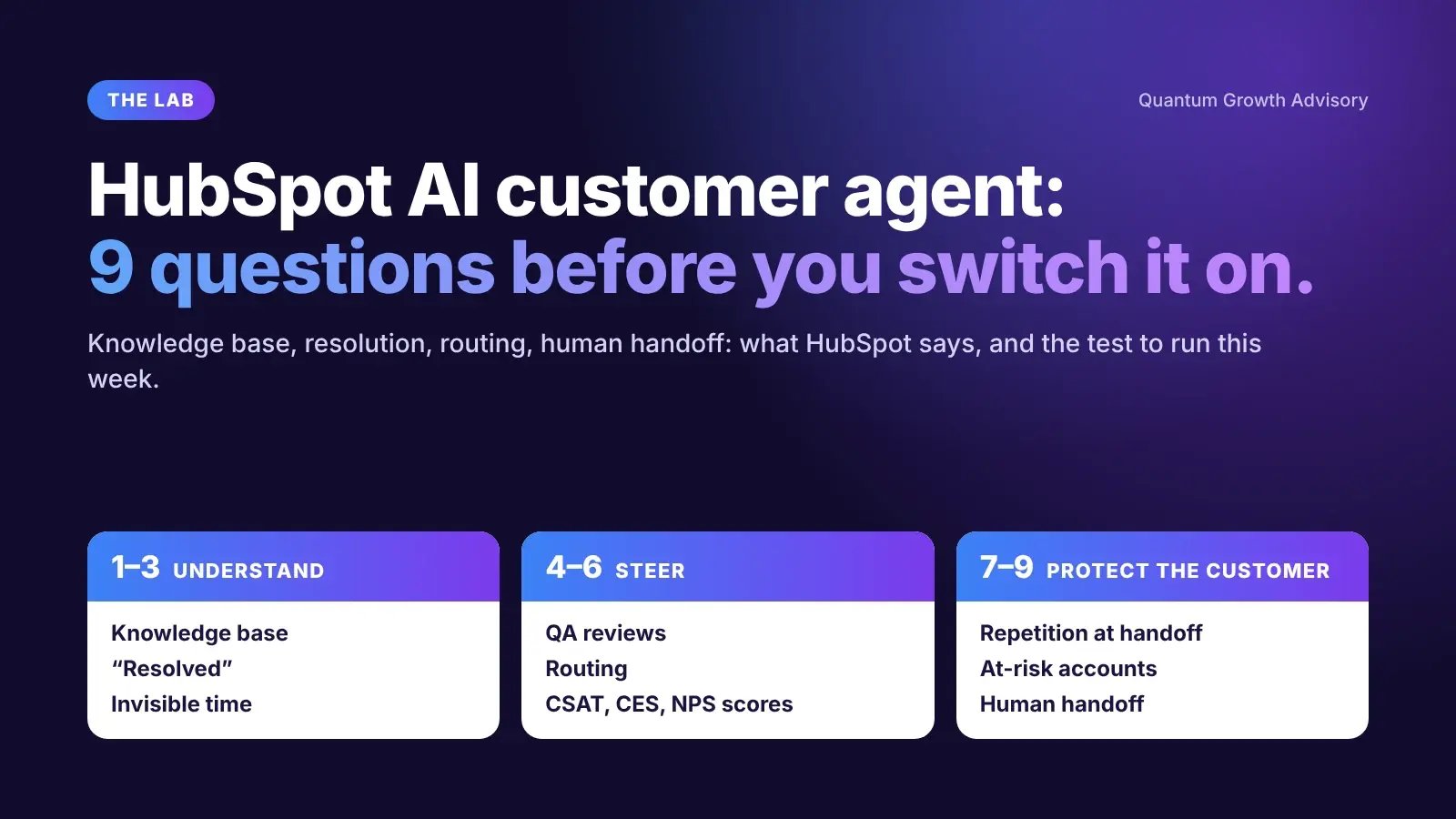
HubSpot AI customer agent: 9 questions to ask before you switch it on
Everyone talks about what HubSpot’s AI agents can do. Few talk about what they need from your team before they work. 9 questions, each with what HubSpot says and a test you can run this week.

✓ Figures verified · Nov 2026
Since April 14, 2026, HubSpot charges for its customer agent by outcome: 50 credits per resolved conversation, or $0.50 at the public rate. The knowledge base agent also uses credits for every article it generates. HubSpot’s AI customer service agents are paid for by usage, so their return depends on what your team prepared before switching them on.
My view, after going through HubSpot’s Service capabilities one by one: everyone talks about what the agents can do, and very few talk about what they need from your team before they work. An AI plugged into a poorly maintained knowledge base, a loosely defined « resolved » or a queue that ignores urgency moves faster, but in the same direction.
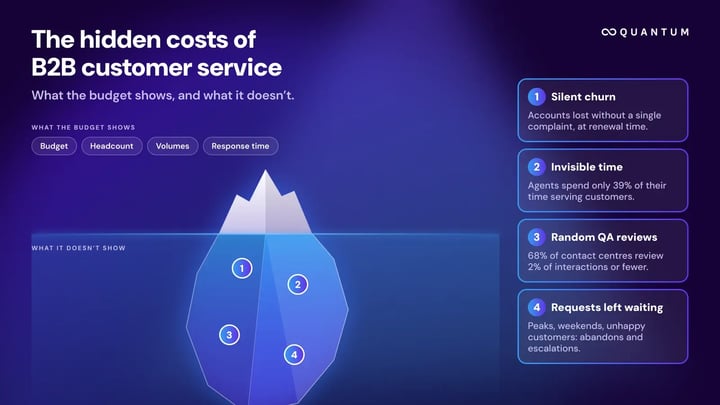
This article brings together the 9 questions from my LinkedIn series on customer service. Each one pairs a HubSpot capability with what the official documentation says and a test you can run in a few minutes with your own data. To first put a number on what your customer service costs without showing it, read our article on the hidden costs of B2B customer service.
These three questions set your baseline. Without them, you cannot tell after go-live whether the AI agent improved your customer service or simply moved the problem elsewhere.
1. Is your knowledge base working, or gathering dust?
A HubSpot knowledge base is a help center where customers find answers to common questions on their own, without opening a ticket. It is also the customer agent’s first source: if the answer is not there, the agent cannot give it.
What HubSpot does: the knowledge base agent (beta, Service Hub Professional or Enterprise) uses closed tickets to spot what the knowledge base does not cover and drafts new articles. It also suggests edits to articles that are unclear, outdated or incomplete. Each new article uses credits (200 credits according to HubSpot’s product catalog, or $2 at the public rate); accepting a suggested edit does not. Your team reviews and approves before anything is published.
The test: answer three questions. Who picks your article topics? Do you publish as you go, or once a quarter? Based on gut feeling, or based on tickets?
2. What does « resolved » mean for you?
For HubSpot, a conversation is resolved when the customer agent shared a content source (an article, for example) or performed an action, and the customer did not ask for a human. The status is set 72 hours after the customer’s last reply; negative feedback that comes later does not change it. A lead marked as qualified, partially qualified or not qualified also counts as a resolution.
The consequence: a customer who was not helped, but left the chat without saying anything, counts as resolved. And that status is what triggers billing. My view: the resolution rate is first and foremost a billing metric. The number that should matter is the share of customers who don’t need to come back.
The test: take 20 conversations resolved by the agent and count those where the same customer came back about the same issue within 7 days. Every returning customer is a resolution you paid for nothing.
3. Where does your team’s invisible time go?
Before you automate, you measure. Without a baseline, nobody can prove the gain afterwards.
What HubSpot does: according to HubSpot, the help desk (Professional and above) offers AI help for each step of handling a ticket: a summary of long threads for reading, recommended articles inside the ticket for searching, suggested replies for writing, and enriched ticket names for sorting. Suggested replies do not use credits. They are turned off by default and, without synced content, are limited to greetings and sign-offs.
The 5 timed tickets test: take five ordinary tickets, time four steps (reading the history, finding the information, writing, sorting), note the longest step and switch on the matching feature first. For an estimate without a stopwatch, the invisible time simulator asks 8 questions about your organization.
An AI agent produces a lot of data. These three questions check that you are watching the right numbers, and that they lead to a decision.
4. Do you review the conversations that went wrong?
Reviewing 20 conversations in order of arrival and finding no problems is not necessarily good news: you are reviewing what just came in, not what caused trouble. The real problems are where someone hesitated.
What HubSpot does: the customer agent’s Coaching opportunities report surfaces conversations where the agent lacked knowledge, where two content sources conflicted, where an action was missing, where the customer gave a thumbs-down, or that a rep flagged in the help desk. In beta, HubSpot also adds conversations with a CX score of 45 or below.
The test: without an agent, do this sorting by hand. Find 3 tickets from this month that were reopened, rated poorly or transferred several times, and review them with a single question: what should the customer have found? To check your current sampling, try the QA reviews simulator.
5. Where does your most frustrated customer wait in the queue?
Three follow-ups about a refund, one question about your opening hours: in many teams, order of arrival decides. That is fair to the clock, not to the customer. My view: a ticket should wait according to what its waiting could cost, not according to when it arrived.
What HubSpot does: HubSpot’s documentation offers three ways to distribute help desk tickets: by workload, round robin or at random. Skills-based routing requires Service Hub Enterprise. Customer sentiment is not one of these native criteria: writing that rule is up to you.
The test: one rule is enough to start (this is our method, not a HubSpot feature): from the third follow-up, the ticket jumps the queue. Open your queue, find the most chased ticket among the first 10 and look at its position. The sentiment routing simulator replays one day of tickets in two queues.
6. What decision does each of your scores trigger?
What HubSpot does: HubSpot offers three surveys that do not measure the same thing. CSAT (3 possible answers) measures how the customer felt about an interaction. CES, the Customer support survey (7-point scale), measures how easy the exchange was and is sent after the ticket is closed. NPS (11-point scale) measures how likely the customer is to recommend you. All three require Service Hub Professional or Enterprise.
The trap is not having three scores; it is reading them as one. The same customer can be happy with the answer, find the exchange tedious and never recommend you.
The test: for each survey you send, write in one sentence the decision its score triggers. No possible decision? Then that survey only fills a dashboard.
Transfers, silent churn, human handoff: these are the moments when a poorly configured AI agent costs the most in B2B, because one unhappy customer can mean a whole contract.
7. What does your customer have to repeat when they change contact?
From an AI agent to a rep, or from one rep to another: with every transfer, the customer risks explaining everything again. Four things should never have to be repeated: what is wrong, in their own words; since when; what they already tried on their own; what they were already told.
What HubSpot does: according to HubSpot’s documentation, the customer agent hands over when it cannot answer, when the customer asks for a human, or when the agent is paused. You can add your own handoff guidelines, for example on words such as « refund » or « cancellation ». The documentation does not detail what the rep receives at handoff: check it in your portal before going live.
The test: the AI handoff simulator uses your ticket volume and transfer rules to estimate how many customers have to repeat everything.
8. Do you see accounts leaving before they leave?
A customer who leaves does not always warn you; they drift away: less usage, tickets piling up, a key contact gone quiet. Waiting for the complaint means arriving after the decision.
What HubSpot does: the customer health agent, offered as a beta agent, assesses an account’s health from logged CRM activities, call transcripts and publicly available information. In the Agent Inbox, it shows a health risk level, a grade and, for an at-risk account, an example retention playbook. It requires Service Hub or Smart CRM Professional or Enterprise, a Service seat and credits.
The test: take the last customer who left and go back 6 months. How many signs were in front of you, and who was supposed to watch them? The early warning simulator replays a year of accounts with your current radar, then with a 7-signal radar.
9. Who decides when the AI hands over?
It is not up to the AI to decide when it has tried enough. It is up to the team to write it down, in black and white. The Quantum grid has 6 criteria: 4 immediate handoffs (the customer asks for a human, strong emotion, a sensitive topic, a limit of failed attempts reached) and 2 that are your call (strategic accounts and complex cases).
What HubSpot does: handoff can be live (assigned to the next available rep), async (for a later follow-up) or turned off. Your custom guidelines add to the default behavior. The customer agent is available with Professional and Enterprise editions and requires HubSpot credits.
The test: write these 6 criteria in 6 lines. If one is missing, the AI decides for you.
There is no need to tackle all 9 questions at once. Here is the order I recommend, from baseline to switching on the AI agent.
To estimate what AI could bring your team, our customer service ROI calculator asks 8 questions about your ticket volume, your team and your costs.